Blog/Is your website on Bing?
Is your website on Bing? A 6-step check so ChatGPT and Copilot can find you (2026)
Key takeaways
- Being on Google does not mean Bing has read your site. Bing keeps its own list, and mine said "Discovered but not crawled" for 22 months.
- Copilot pulls its web results from Bing, and ChatGPT search has drawn on Bing too, so a page Bing has never read can be missing from those answers.
- The check is free and takes about 10 minutes in 6 steps: Bing Webmaster Tools, URL Inspection, Request indexing.
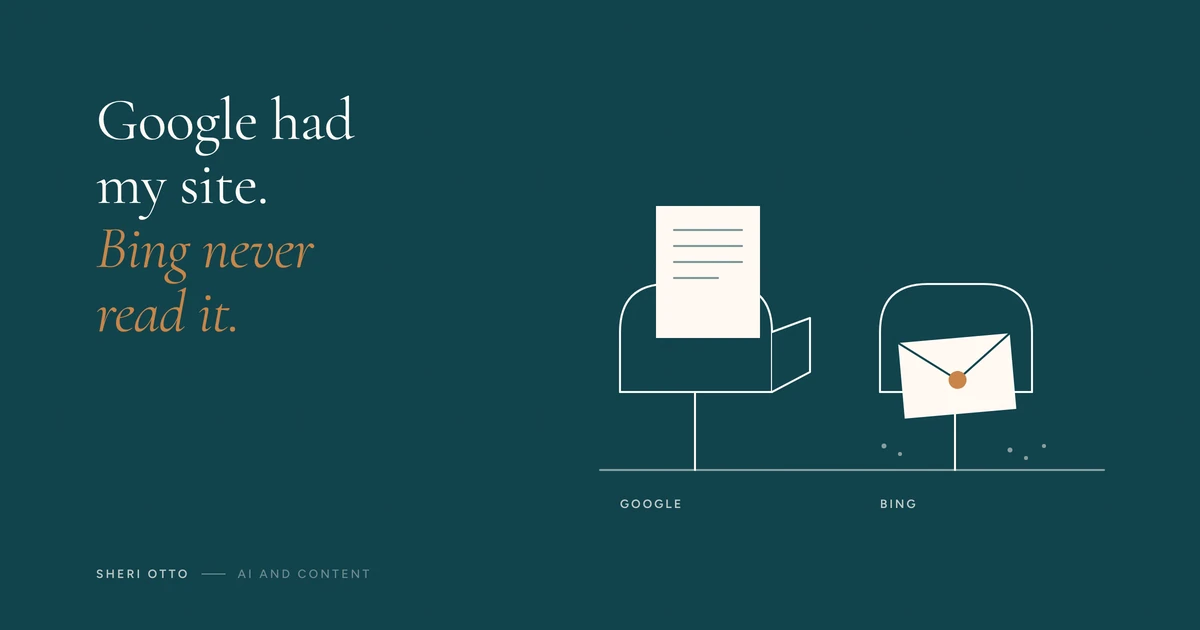
Marketing teams, agencies and owners: to check if your website is on Bing, add it to Bing Webmaster Tools and inspect your home page. This is my 6-step Bing check, and it takes about 10 minutes. It matters because Copilot pulls its web results from Bing and ChatGPT's search has drawn on it too.
I ran it on my own site this week.
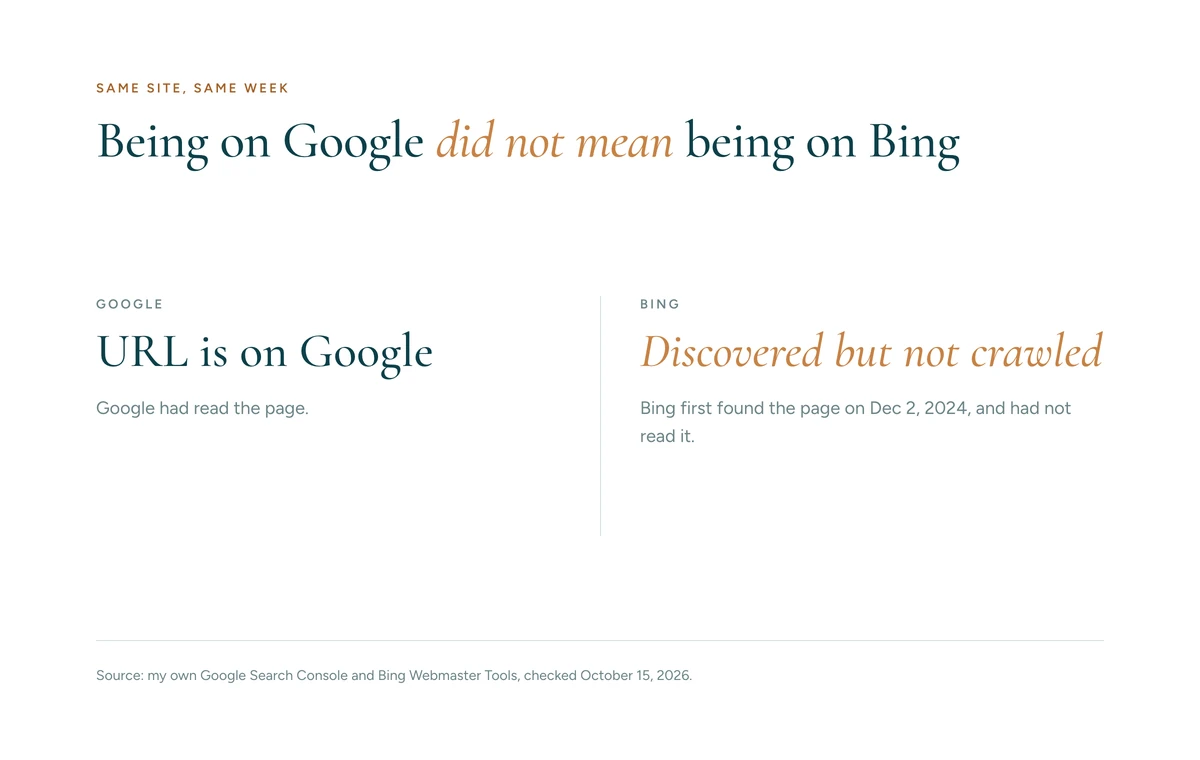
I had just rebuilt my website. I went to ask Google and Bing to re-read the new pages. Google said, "URL is on Google." I figured I was covered.
Then I checked Bing. My home page said "Discovered but not crawled." Bing first found my page on December 2, 2024. That's 22 months, and in all that time, Bing had never read it.
I was confused. Then I went back through my own head: what did I miss? Which step did I skip? I felt a little ashamed, like I should have known. But this isn't a task most of us do every day. If you're not a web developer, you don't build websites daily, and nobody hands you the checklist.
Why does Bing matter for ChatGPT and Copilot?
Microsoft says Copilot pulls its web results from Bing. ChatGPT first searched the web through Bing in 2023, and a 2024 test by Windows Latest found Bing behind most of the searches it tried. OpenAI doesn't publish the exact mix. So a site Bing has never read can be missing from those answers.
OpenAI doesn't offer a Search Console for ChatGPT that I could find. Bing Webmaster Tools is the closest free check you can run.
What did I check before blaming Bing?
I checked my own side first.
- The page loads for Bing's crawler.
- No "noindex" tag.
- A canonical link is in place.
- My robots file welcomes the main AI crawlers.
Nothing on my side was blocking it. My best guess is that Bing is slow with newer sites that have few links pointing to them, but I can't confirm that yet.
How do you check your site on Bing? (6 steps, 10 minutes, free)
- Open Bing Webmaster Tools and add your site.
- Run URL Inspection on your home page and your main offer page.
- If it says "Discovered but not crawled," click Request indexing. It isn't a guarantee, so check back in a few days.
- Open Sitemaps and make sure yours is listed.
- Link to your site from every profile you own: LinkedIn, Instagram, YouTube, your newsletter.
- Optional: turn on IndexNow so Bing hears about changes right away.
What else do AI tools need to find you?
In early October I ran an outside check on two client sites, using only what any visitor can see. Both allowed AI crawlers and had a sitemap. Neither home page had structured data, and only one had an llms.txt file.
Here's the quick self-check:
| What to check | Where to look |
|---|---|
| AI crawlers are not blocked | yoursite.com/robots.txt |
| Your sitemap exists | yoursite.com/sitemap.xml |
| Structured data is on your home page | A free schema checker |
| Key pages answer in the first sentence | Read your own page |
| Bing has read your site | Bing Webmaster Tools |
Bing Webmaster Tools also has an AI Performance report, in public preview since February 2026. It shows how often Copilot and Bing's AI summaries cite your pages. It doesn't show clicks.
How reliable is this check?
- One site, checked on one day. The Bing status and the date come from my own Bing Webmaster Tools.
- Two client sites, outside view only. I had no account access, so I can't tell you how they perform.
- No official Bing fix found. I don't have one to point to for "Discovered but not crawled," so the advice here comes from Bing's own panel and community answers.
- No ranking or traffic claim. I'm not claiming either.
Where does this fit in loop marketing?
HubSpot's Loop Marketing playbook comes from Kipp Bodnar and Kieran Flanagan, who also wrote the book Loop. It moves marketing from the inbound funnel to a loop with 4 stages:
- Express. Say your story the way only you can.
- Tailor. Shape the message around what your customer is thinking, frustrated by, and trying to reach.
- Amplify. Put it in front of people across channels.
- Evolve. Read the data and adjust.
Checking Bing is an Amplify job. You can have a sharp story and a message that fits your customer, and still nobody finds you if the search engines never read the page. We learned to be available for search. Now we have to be available for AI.
What do I think about AI search and early adopters?
My story is the part nobody can copy. When I was leading demand marketing at HubSpot, I got to interview the CMO. The story that stuck with me is the two cornfields in Iowa. During a drought, one farmer planted a new hybrid seed. His neighbor stayed with what he knew. The hybrid corn held up. The other corn withered. As I remember the CMO putting it: if you fail to adapt, you die. The neighbor's son, Everett Rogers, grew up to make the phrase "early adopter" famous.
We have to be early adopters of how we show up online, and of how we talk to our audience. Being findable is the start. Then comes building community and being more relational. I think we should use AI less to write our messages, and more to help us show up as ourselves. If nothing changes, we get left behind.
Here's how I run the loop on my own work:
- Express: my story, like the cornfields and the CMO interview.
- Tailor: I listen to what owners and marketing teams say about their frustrations, then write to that.
- Amplify: this check, plus this blog, my email, and LinkedIn.
- Evolve: I recheck Bing on a schedule and change what I do based on what it shows.
Did Bing index my site after I clicked Request indexing?
I clicked Request indexing on October 15. As of October 17, Bing still shows my page as not crawled. I'll check again between October 18 and 22, and I'll update this post with what Bing says and how many days it took.
IndexNow is already on, and I sent this post through it. Next, I'm linking to my site from every profile I own and checking that my sitemap is listed in Bing Webmaster Tools.
What can you do today?
It takes about 10 minutes.
- Add your site to Bing Webmaster Tools.
- Check your home page. If it says "Discovered but not crawled," click Request indexing.
- Tell me what yours says in the comments below.
If you want a second pair of eyes on what's in the way of being found, that's what the 20-minute gap check is for.
FAQ
Is Google enough to get found by AI tools?
No. Google and Bing keep separate lists of your pages. Google can show your site as indexed while Bing shows it as discovered but not crawled, which is what I saw on my own site on October 15, 2026.
Does ChatGPT use Bing?
ChatGPT first searched the web through Bing in 2023, and a 2024 test by Windows Latest found Bing behind most of the searches it tried. OpenAI does not publish the exact mix, so I say it has drawn on Bing, not that it relies on it.
How do I get my website indexed on Bing?
Add your site to Bing Webmaster Tools, run URL Inspection on your home page, and click Request indexing if it says Discovered but not crawled. Then submit your sitemap and link to your site from your profiles. Indexing is not guaranteed, so check back in a few days.
What does "Discovered but not crawled" mean on Bing?
Bing knows the page exists but has not read it yet, so the page cannot appear on Bing. Forum answers say it is usually Bing judging the site, not a technical block. I could not find an official fix that is guaranteed.
Is Bing Webmaster Tools free?
Yes. It also has an AI Performance report, in public preview since February 2026, that shows citations in Copilot and Bing AI summaries, but not clicks.
Comments
About Sheri Otto
Sheri Otto has spent 15 years in growth marketing, including her time at HubSpot. She co-hosted HubSpot's first INBOUND webinar and is a HubSpot UNBOUND26 Insider. More about Sheri →
Sources
- My own Google Search Console and Bing Webmaster Tools, checked October 15, 2026 (Bing first found my home page December 2, 2024).
- Windows Latest, "ChatGPT search engine uses Bing," November 1, 2024. https://windowslatest.com/2024/11/01/chatgpt-search-engine-uses-bing-builds-extension-to-replace-google-in-chrome
- Yoast, "What is ChatGPT Search (and how does it use Bing data)?" November 12, 2024. https://yoast.com/chatgpt-search/
- TechCrunch, "OpenAI's ChatGPT app can now search the web, but only via Bing," June 27, 2023. https://techcrunch.com/2023/06/27/openais-chatgpt-app-can-now-search-the-web-but-only-via-bing
- Microsoft Q&A thread on "Discovered but not crawled" (an independent advisor and an AI-generated answer, not Microsoft staff), opened October 16, 2026. https://learn.microsoft.com/en-us/answers/a/12828137
- Microsoft Learn, "Data, privacy, and security for web search in Microsoft Copilot and Microsoft Copilot Chat," updated August 18, 2026. https://learn.microsoft.com/en-us/microsoft-365/copilot/manage-public-web-access
- Bing Webmaster Blog, "Introducing AI Performance in Bing Webmaster Tools," February 10, 2026. https://blogs.bing.com/webmaster/February-2026/Introducing-AI-Performance-in-Bing-Webmaster-Tools-Public-Preview
- Wikipedia, "Everett Rogers," citing Backer and Singhal, Journal of Health Communication 10(4), 2005, opened October 16, 2026. https://en.wikipedia.org/wiki/Everett_Rogers
- Search Influence, "Inside Bing's New AI Performance Report," February 12, 2026. https://www.searchinfluence.com/blog/bing-ai-performance-report-copilot-citations/
- Kipp Bodnar and Kieran Flanagan, "Loop: Outlearn. Outmarket. Outgrow." Forefront Books, 2026. https://www.hubspot.com/loop-marketing-book
Free tool
Interactive Lead Magnet Builder
A mega prompt system that turns what you already know into an interactive lead magnet: a scorecard, a checklist or a step-by-step guide that people want to use.
Send me the builder →